Catalogue · Ref. 01 / 08
1Home Server KNX Pro: the reference KNX gateway
This is the reference we recommend most often for a complete house: it reads the ETS project, publishes a usable visualisation, opens voice control and remote access, and exposes the installation to Matter. The KNX bus is untouched.
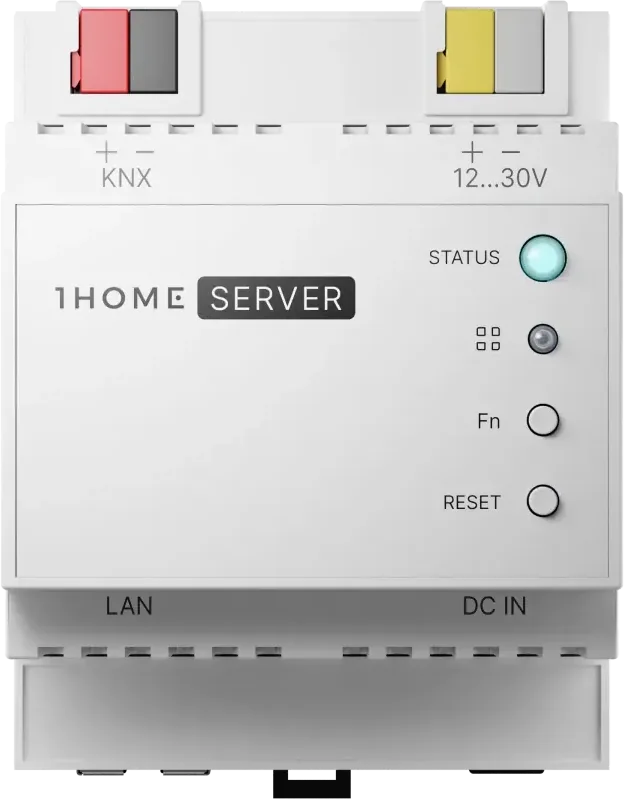
A KNX server is not judged on its feature list but on what it makes possible once installed: is the family still using it after three months? The Server KNX Pro covers the four uses that bring people back — seeing, speaking, acting remotely, and staying compatible with what comes next.
It is also the reference that changes the least about the installation itself. The bus keeps its logic, the wall switches keep their behaviour, and the server reads the ETS project rather than replacing it — which is why it can be added to an installation that has been running for ten years without touching a single actuator.
The counterpart is that the quality of the result depends on the quality of the project file. Group addresses that were named properly at commissioning produce a clean interface; addresses named « GA 3/2/14 » produce exactly what they say. Renaming them is quick work, and it is the single most useful preparation before ordering.
01What the Server KNX Pro does
- Visualisation: a room-structured app with real states read back from the bus.
- Voice control through Apple Home, Google Home and Alexa, within each platform's device types.
- Scenes crossing several functions, including devices outside the bus.
- Secure remote access without opening a port on the router.
- Matter exposure to current and future compatible controllers.
02Capacity and characteristics
| Characteristic | Value |
|---|---|
| Objects / group addresses | Datasheet — ask us |
| Form factor and mounting | Datasheet — ask us |
| Exposed platforms | Apple Home · Google Home · Alexa · Matter |
03KNX prerequisites
- Obtain the ETS project (.knxproj), or assess the reconstruction effort if it is lost.
- Check that a KNX IP interface or router is present in the board.
- Plan a fixed address or DHCP reservation for the server.
04Commissioning: the sequence that decides the result
None of this should be discovered on installation day. Everything that can be prepared at the desk should be — on-site time is the expensive kind, and the kind the customer sees on the invoice.
- Obtain the ETS project from the original installer, or assess the reconstruction work if the file is lost.
- Check that a KNX IP interface or router is present in the board.
- Reserve a fixed address or DHCP reservation for the server.
- Import, filter, then name in plain language — the naming becomes the customer-visible interface.
- Run room-by-room acceptance before handover, then hand the project file to the customer.
05How it differs from System Manager and IoT Gateway
| Need | Reference | Why |
|---|---|---|
| Equip a complete house | Server KNX Pro | Widest usage coverage on one installation |
| Open a small scope | IoT Gateway | Deliberately reduced scope, lower entry cost |
| Operate an installed base | System Manager | Multi-site supervision and administration |
Public price and availability are on the pricing page; warranty terms and the return procedure on the support page.
Frequently asked questions
What happens if the server fails?
The KNX installation keeps working: switches, blinds and heating remain driven by the bus. You lose the app, voice and remote access — not the house.
Server KNX Pro or System Manager for a 150 m² house?
Server KNX Pro. The System Manager answers an operational need across several installations, not a comfort need in a single home.
Do I need ETS to install it?
You need the ETS project, which is not the same as owning an ETS licence. The licence is only required if the project must be modified.